How to Get Clients to Choose Their Album Photos
How to get clients to choose their album photos without chasing them: ask inside the gallery, keep the target advisory, and export the filenames straight into your album software.
The photos have been edited for three weeks. The album design is booked into next Tuesday. And somewhere in an inbox is a message from you that says "just send me your 60 favourites when you get a chance", which the couple read on a train, meant to answer, and never did.
Every wedding photographer has this month sitting in their workflow somewhere. The shoot is finished, the edit is finished, and the thing holding up delivery is sixty numbers you cannot choose on somebody else's behalf.
Why the asking is the hard part
The work itself is not the problem. The problem is that the ask arrives as homework.
A typical album selection request goes out as an email with a link to a gallery, a target number, a due date, and an instruction to write the filenames down and send them back. That is four separate tasks for a couple who are back at work, and the format actively fights them: file names are not something anyone reads on a phone, and a list typed into a reply is a list you then have to reconcile by hand against your catalogue.
So it slips. You send a second email that starts "no rush, just checking", feel faintly rude for sending it, and wait another fortnight. The album that would have been designed in September gets designed in November, and the couple, who loved the photos, remember the admin.
Ask inside the gallery, not in an email
The fix is not a better reminder. It is moving the ask to where the photos already are.
In Revivre, an album selection is a request attached to the couple's gallery. They open the same link they have been showing their families, tap the photos they want, and the count follows them as they go. Nothing is written down, nothing is typed into an email, and nothing needs a laptop.
You write the request in your own words: what you are asking for, roughly how many, and by when. It reads as a sentence from their photographer rather than a form.
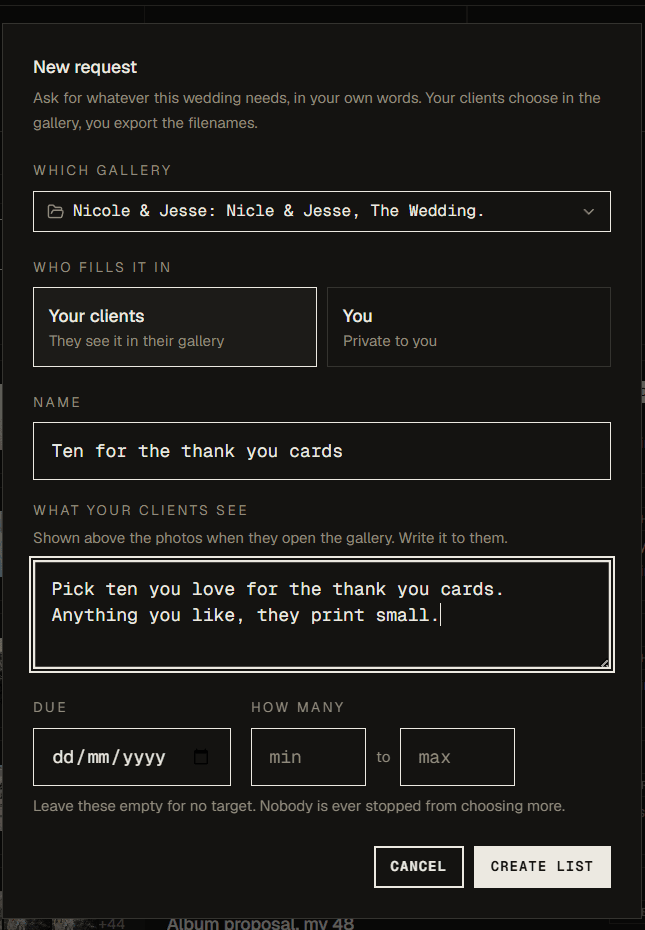
- They pick where the photos are. Same gallery, same link, on a phone.
- The target is a suggestion, not a rule. Somebody choosing photographs of their own wedding should never be told "no" by software. Going over just says so, plainly, and leaves the conversation to you.
- A couple is two people. Both partners pick into one list, and the photos they both chose are marked, which turns out to be the most useful thing on the page when they disagree.
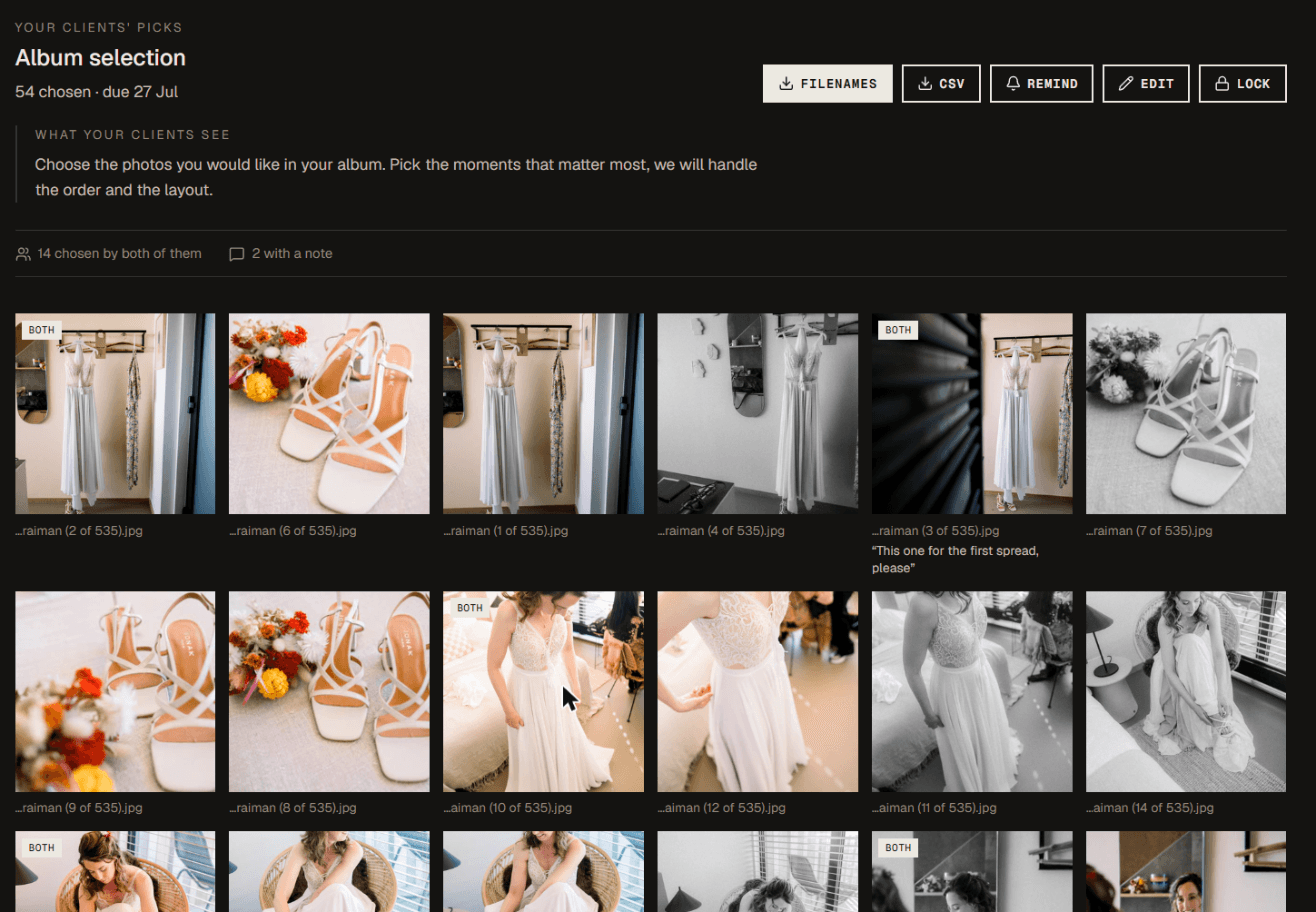
Then export the filenames
This is the unglamorous half, and it is where the hours actually go.
When the list comes back you export it as a plain filename list, one per line, which is exactly what SmartAlbums, Fundy and Lightroom's filter-by-filename take. Paste it in and their choices are on your canvas. There is a CSV too, for when you want the notes and who picked what.
No transcription, no cross-referencing an email against a catalogue, no squinting at "the one on the stairs".
When it is your turn to propose
Selections run the other way too, which matters for the studios who prefer to curate the album themselves.
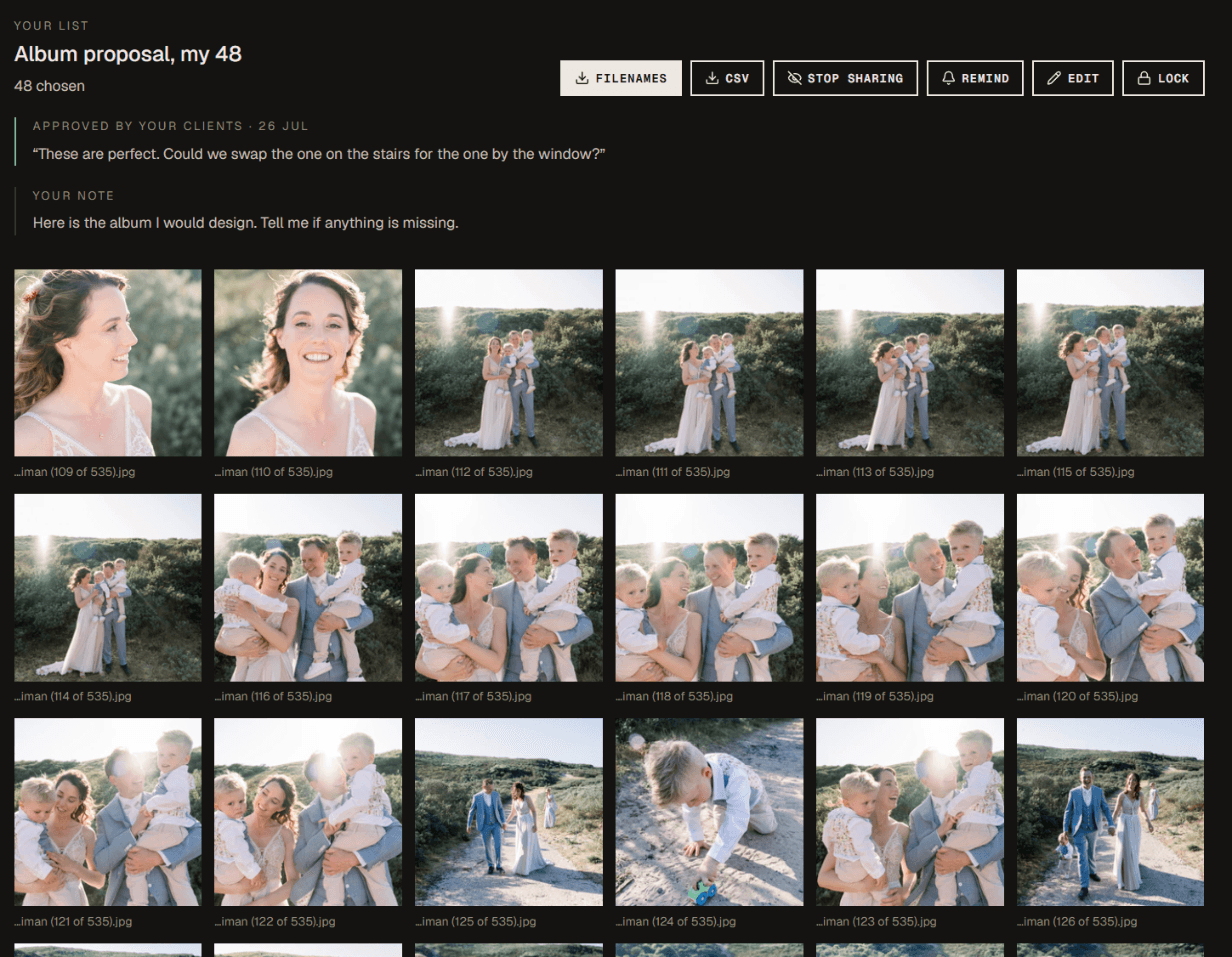
You pick the sixty, share the list, and the couple sees exactly those photographs in their gallery with two answers available: these are perfect, or here is what we would change. Both are real answers. "Lovely, but can we swap the one on the stairs for the one by the window" is the most common reply there is, and it comes back to you as a note attached to the list rather than as a paragraph in an email you have to read twice.
An approval is recorded as an approval. A note asking for a change is not, which sounds obvious until you have designed an album from a message you misread as a yes.
Seeing every wedding at once
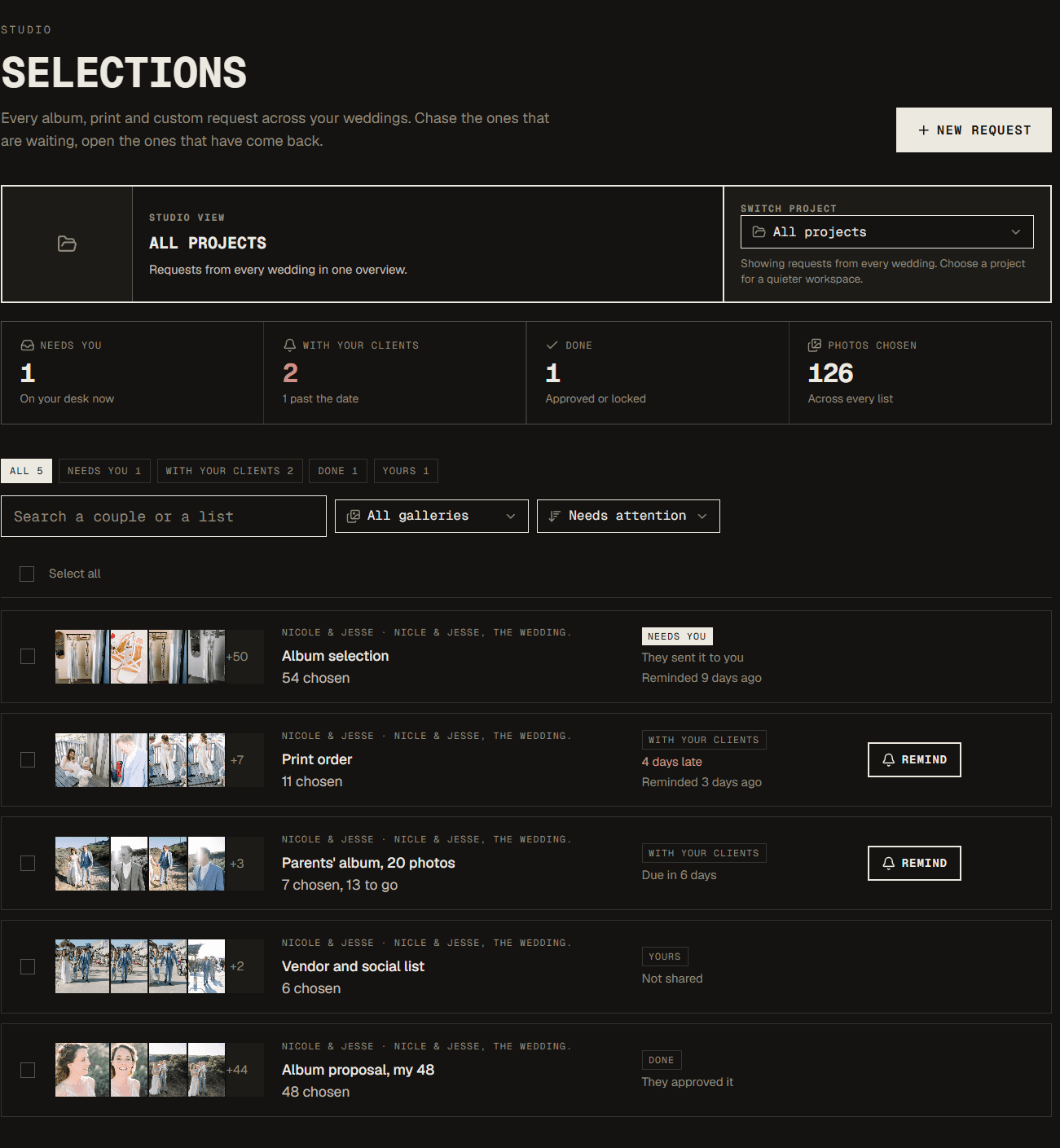
In February a studio has a dozen of these open. One screen shows all of them across every wedding, sorted by what needs you first: the lists that have come back, then the ones that are late, then the ones you are still waiting on. You can chase several couples at once with one message in your own words, and it tells you who you already reminded, and when, so you do not nudge the same people twice in a morning.
A short checklist
If you take nothing else from this:
- Ask in the gallery, not in an email.
- Write the request in your own words, with a number and a date.
- Let the target be advisory.
- Export filenames, do not transcribe them.
- Track who you have chased, so the chasing stays polite.
The selection is not really an admin step. It is the last conversation you have with a couple about their wedding, and it is worth making it feel like one.
Stop chasing album picks by email
Ask in the gallery, export the filenames, design the album. First story free.